![ATX-resized_Prancheta 1-1.png]](https://support.attaxion.com/hs-fs/hubfs/ATX-resized_Prancheta%201-1.png?height=40&name=ATX-resized_Prancheta%201-1.png)
Indicator of Compromise (IoC) Monitoring is a new feature that complements the platform's existing Network Traffic Monitoring capabilities but does not depend on the latter being enabled.
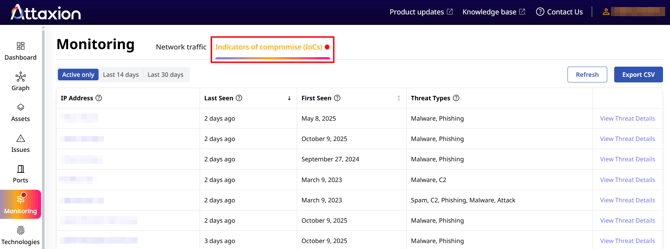
IoC Monitoring systematically verifies each public IP address in your organization’s discovered external attack surface against a continuously updated database of IoCs. This database aggregates threat intelligence from multiple threat feeds, public sources, and proprietary sensor networks.
If any of the IP addresses in your infrastructure have ever been associated with any of the IoCs in the database, they would appear on this tab.
It’s important to note that the appearance of an IP address in the IoC Monitoring dashboard does not conclusively indicate a confirmed compromise. Instead, it highlights that there are reasons for further investigation or verification.
What Is There in the “Indicator of Compromise (IoC)” Tab?
The IoC Monitoring dashboard shows all IoCs correlated with your infrastructure’s IP addresses.
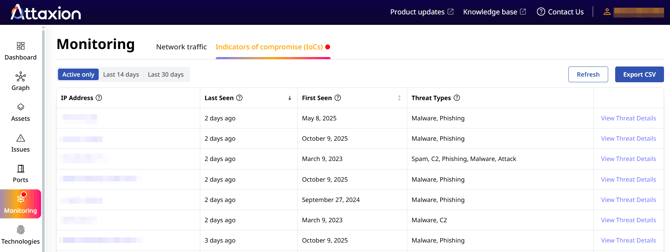
Each record in the table represents an IP address in your infrastructure that matches an IoC in Attaxion’s threat intelligence feeds. The indicators belong to one or more threat categories, which describe the nature of the associated malicious activity.
Threat Types
The threat types are:
- Attack: Generic indicator of hostile or exploitative activity targeting external systems.
- C2: Identified as a Command and Control (C2) node associated with malware or botnet operations.
- Malware: A distribution source for malicious software or payloads.
- Phishing: Host involved in phishing campaigns or hosting deceptive login pages.
- Spam: Source of unsolicited bulk messaging or email spam.
- Suspicious: Engaged in anomalous or policy-violating activities such as scraping, scanning, or brute-forcing.
First Seen and Last Seen
Two additional columns provide timing context:
- First seen: Timestamp indicating when the IoC was first detected.
- Last seen: Timestamp of the most recent observation.
IoC records are retained for 30 days. If no additional threat signals associated with an IP address are detected within that period, the IP is automatically retired from the monitoring view.
Threat Details
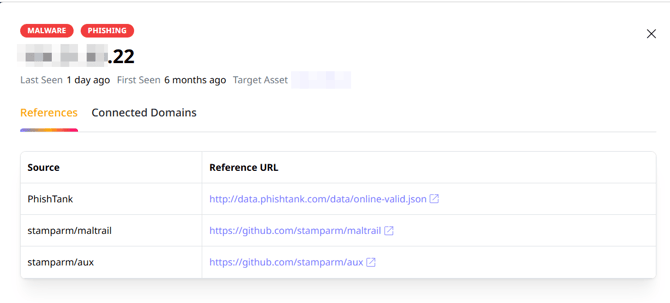
When you click “View Threat Details” on an IoC, the “Threat Details” window will open, showing the:
- “References” tab, where the threat intelligence source and its link are listed.
- “Connected Domains” tab, where you can see the domains resolving to the IP address tagged as an IoC.
What Is Excluded from IoC Monitoring?
To ensure operational relevance and avoid alert fatigue, the system excludes non-actionable IP ranges from scanning, including:
- Public cloud infrastructure (e.g., Google Cloud, AWS, Azure).
- CDN nodes and large-scale email or hosting providers (e.g., Gmail, Cloudflare).
These exclusions are enforced because such shared infrastructures can occasionally be flagged without representing an actual risk to your specific environment. Investigating or blocking them may disrupt legitimate services and degrade network performance.
How to Export or Integrate IoC Monitoring Data
IoC Monitoring supports data extraction and integration with external analysis pipelines.
CSV Export
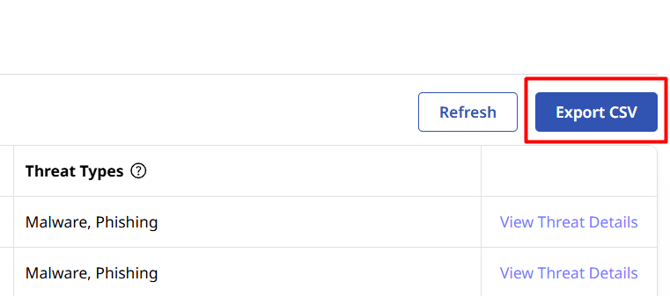
All data shown in the IoC Monitoring dashboard can be exported via the “Export CSV” function.
API Access
Programmatic access to IoC data is provided through the platform’s RESTful API. For more details, check the API docs.
